Nerdliness

Multicolor Webcam Art Fun

This works only if you have a webcam installed.

The program I use to prepare Adobe Flash® animations has a blog. Their authors will post articles describing various aspects of the program. Yesterday, they posted about importing webcam video into the animation. I downloaded the example program and tried it out. This is the result – 25 mini me images rendered with different video filters:

color-art.jpg

If you do have a webcam you might try out the flash animation below the fold. You will have to give your permission to allow access to your camera.

Continue reading…

Cholla Garden in 3D

cholla.pngOn our way back from Arizona last May, we stopped in Twenty Nine Palms so we could spend a couple of days visiting Joshua Tree National Park.

On the last day going through the park, I snapped a 3D picture pair of images of the Cholla Garden. This anaglyph image is the result. There are hundreds of cholla growing at this particular location. Click on the 3D image to enlarge.

You will need your free 3D glasses to view the anaglyph but just in case you don’t have your pair yet, I uploaded a 2D version here.

GPS Hints and Tricks

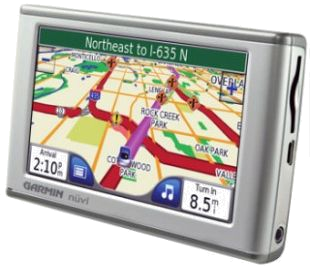
gps.pngOne of the limitations of my Garmin Nüvi 205W GPS is its inability to select a custom route. Unlike Google Maps™ and other popular on-line map resources, the Garmin only allows one waypoint to be programmed in addition to the destination.

When we leave the LA area to go to the new house (something we have been and will be doing a lot), I like to take a different route than the GPS decides. The GPS always wants to send me to Banning via state route 60 through Riverside which is an inferior route to joining up with I-10 via I-15. There is less traffic and construction that way, plus 60 takes us over the winding road east of Moreno Valley.

I searched for some information on setting a custom route on my GPS and found a blog that had tons of information: Tricks, Tips, Work Arounds, Hints, Secrets and Ideas for Garmin GPS. I spent quite a lot of time looking through the many articles there and found out a whole lot I didn’t already know about my GPS.

I eventually stumbled on a tip that solved 70 percent of my problem. I programmed a precision waypoint on the ramp from northbound I-15 to eastbound I-10. I say 70 percent because it still wants to take me up to I-105 and east. Fortunately, It will recalculate the route as I drive where I want to go and once we’re east of I-605 it shows the preferred route. Even though the hints and tips website didn’t solve my exact problem 100 percent, it showed me how to get more out of the GPS.

Shopping Time ‘Til Christmas

I discovered another very interesting gadget in the Flash® component toolkit. It’s a countdown timer that is pretty easy to use. I made this little Christmas timer in about ten minutes, including publishing it to the web.

I’ve got all my Christmas shopping done (thanks to on-line shopping). How about you?

Animated Slideshow Transitions

I recently upgraded to the latest version of the Flash™ authoring tool that I use. There are lots of new features in the latest release, several of which I used for the slideshow seen here.

The tool lets me break up the images into whimsical shapes and then the effects browser allows me to preview the transition effect before choosing it. This is the result:

The images were made in November at the site of the new house in Arizona.

Spirals

I have been playing with some new software the past few days. It’s a package for authoring Flash™ animations. I made our Thanksgiving e-card using the tool. I discovered a spiral object in the auto shapes component list. After playing with it for a while, I managed to get this animated spiral effect. It doesn’t do anything but it was fun to play with the new software.